


Merkury Smart
4.12.13K Reviews
App Specs
- Version
- 3.20.0
- Updated On
- License
- Free
- Downloads
- 500,000+
- Developer
- Merkury Innovations
- Categories
- House & Home
- Platform
- Android, iOS
Screenshots
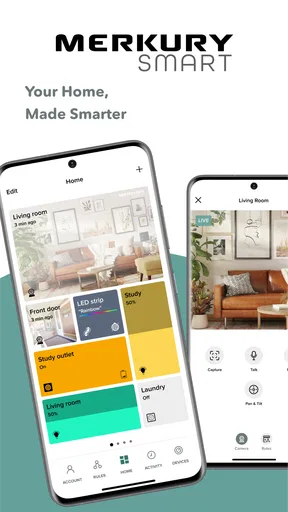
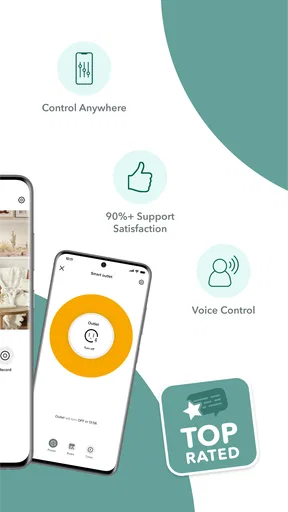
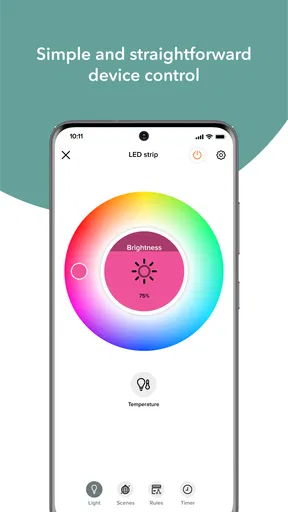
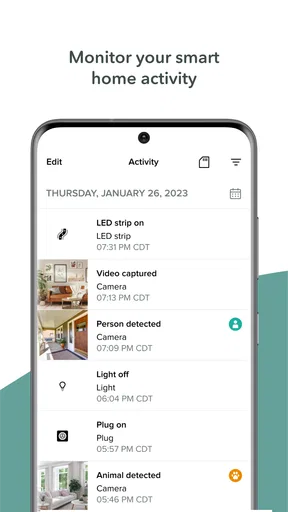
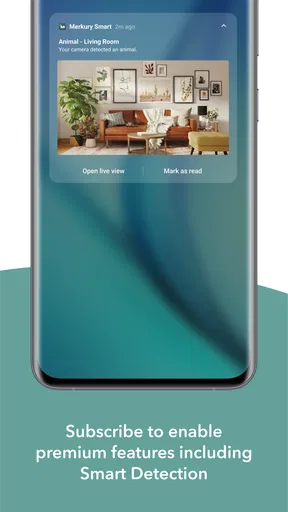
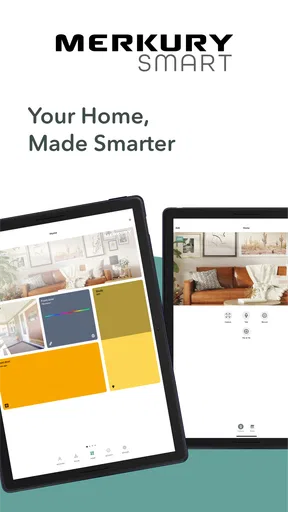
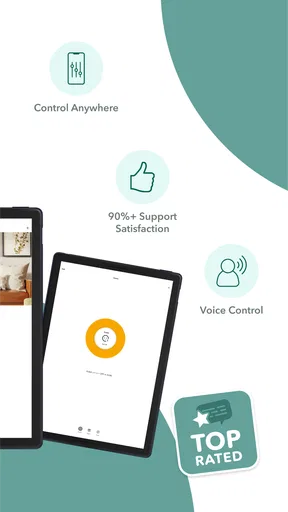
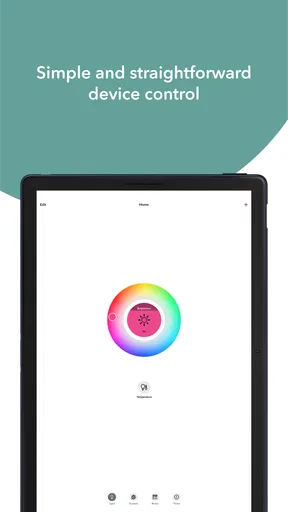
 Analysis by AppCompare
I treat a smart-home app as more than a remote control: it sits between my phone, my household routines and the devices I’m trusting to work when I’m away. That makes practical control and clarity important, not just a polished setup screen. Merkury Smart is a free House & Home app from Merkury Innovations, and its appeal is straightforward: bring compatible smart devices into one place and manage them from a phone. I’d consider it most useful when the devices in your home already fit its ecosystem, rather than as a universal hub for every brand.
Trust starts with a realistic scope
It helps to go in with a focused expectation. This is a device-control app, not a reason by itself to replace equipment that already works or to buy products before checking their compatibility. A smart-home system is only as convenient as its least dependable connection, so I would start with one low-stakes device and see how the app fits my routine before building around it.
That small trial is useful for more than setup. It lets you learn where the controls live, how quickly you can reach a device, and whether the app makes sense to the other people who share your home. If someone else needs to turn off a light or check a connected device, a familiar, clear path matters more than a long list of advanced options.
Use the controls deliberately
Remote access is most helpful when it answers a real question: did I leave a light on, or do I want a lamp ready before I get home? I’d make a habit of checking the device’s current state before relying on a tap, especially when a change affects another person in the household. That simple pause helps avoid assuming that a command has worked just because it was sent.
Schedules can reduce repetitive work, but I’d keep them easy to understand. A light that follows a predictable daily routine is a sensible place to begin; a schedule tied to an irregular household pattern may need more attention than it saves. If your plans change, reviewing the schedule is better than letting an old routine continue unnoticed.
Think carefully about sensitive devices
Connected cameras and appliances deserve more thought than a lamp. Before adding a camera, I’d consider who may be recorded, where it points, and whether everyone at home understands when it is in use. For any device that can affect safety or daily comfort, I would keep its physical controls accessible rather than treating a phone as the only way to operate it.
I also avoid putting a smart plug on equipment unless the device is suitable for that kind of control. Remote switching is convenient, but it should not replace the manufacturer’s instructions or common-sense precautions. The useful question is not simply whether something can be controlled in an app, but whether remote control is appropriate for that particular job.
Worth Reading Before You Choose

EA SPORTS FC Mobile 26 Is a Bigger Football Game, but It Takes Time

Flipboard Shows What News Apps Must Do Beyond the Feed

Switching to Android Auto Means Rethinking Your Driving Routine

Google Calendar Makes a Crowded Week Easier to Manage

Ludo King Makes the Most of the Minutes Between Plans

Baby Panda World Brings Quick Play to Modern Phones, but Its Game Library Feels Busy
Keep control in your hands
My preference is to use only the connections and routines I actually need. If you choose voice control through another ecosystem, think about who can issue commands and whether that convenience makes sense in shared spaces. A voice assistant can be handy for a quick light adjustment, while a direct app control may feel more deliberate for a device you want to check before changing.
The app is rated for Everyone, and its current version is 3.11.0. It has an average rating of 4.5 from around 16,000 ratings, with roughly 1,800 written reviews and more than 500,000 installs. Those figures suggest it has found an audience, but they don’t tell me whether a particular device will suit your setup. I’d make compatibility and the day-to-day controls the deciding factors.
Looking to make your home smarter without breaking the bank? Let me introduce you to Merkury Smart, the app that promises to streamline your smart device management. I’ve been playing around with it for a while, and I’m here to spill the beans on how it performs in real life.
Getting Started with Ease
First things first, downloading and setting up Merkury Smart is a breeze. Available on both Android and iOS, it’s as simple as searching for the app and hitting download. Once installed, you’re greeted with a user-friendly interface that even the least tech-savvy among us will find intuitive.
The app guides you through pairing your devices in a step-by-step manner. It supports a wide range of products, from smart bulbs to cameras. I was able to connect my lights and plugs within minutes, and the process felt almost too easy. No need to pull out the instruction manual unless you're really stuck!
Control at Your Fingertips
Once your devices are all linked up, the real magic begins. The app lets you control everything from your phone. Want to dim the lights for movie night? Just a tap away. Forgot to turn off the coffee maker? No worries, the app’s got your back. I found the responsiveness of the controls quite impressive, with minimal lag time.
Merkury Smart shines with its scheduling feature. You can set devices to operate on a timer, ensuring your lights turn on at sunset or your morning brew is ready when you wake up. This feature adds a level of convenience that makes you wonder how you ever lived without it.
Integration and Compatibility
Now, let’s talk about compatibility. The app plays well with other smart home ecosystems, which is a huge plus. It integrates with Alexa and Google Assistant, making voice control an option. Just ask your assistant to adjust the lights or check your security cameras, and it’s done.
However, I did notice that it lacks integration with some lesser-known smart products. It’s something to keep in mind if you’ve got a more eclectic collection of smart devices, but for most users, it covers the essentials.
Final Thoughts
Overall, my experience with Merkury Smart has been quite positive. It’s a solid choice for anyone looking to manage their smart devices from one place. The app is easy to use, offers robust features, and integrates well with major platforms. Whether you’re a smart home newbie or a seasoned pro, it’s worth checking out.
If you’re ready to dive into the world of smart home tech, give Merkury Smart a try. It might just make your life a little bit easier—and a lot more futuristic.
Where it fits in a real routine
The strongest case for this app is a home with a handful of compatible devices that solve small, repeated annoyances. Imagine leaving for work and realizing the hallway light is still on: opening the app to switch it off is a more useful kind of convenience than adding automation for its own sake. At night, a scheduled lamp can make a room feel welcoming before you settle in, while a manual control remains available when your plans change.
That balance is worth keeping. I’d use a schedule for predictable tasks and leave less predictable ones under direct control. A recurring routine can take care of a light you use at the same time each evening; a device used differently on weekends may be better handled with a quick tap. Starting with one routine also makes it easier to notice whether it genuinely saves effort or simply creates another setting to maintain.
Small setup habits that prevent frustration
Before pairing a device, I’d identify it by room and purpose rather than leaving several similar items with vague names. “Bedroom lamp” is easier to act on than “light two,” particularly if you later use voice control. This is a modest organizational step, but it becomes valuable as the device list grows and helps reduce the chance of changing the wrong light from across the house.
I’d also test each device from the place I’m most likely to use it: from the sofa, at the front door, or while getting ready in the morning. A control that feels quick during setup may be less convenient when the phone is locked or the household is busy. Testing a basic on/off action and a schedule before relying on either gives you a practical sense of whether the setup is dependable enough for your needs.
When a device behaves unexpectedly, I would troubleshoot one change at a time. Check whether the device itself responds as expected, then try the app control, rather than changing several settings at once. That approach makes it easier to spot whether the issue is a device, a connection or a routine you set up incorrectly. It also avoids turning a simple light into a confusing project.
Choosing between one app and a broader hub
Compared with a broad smart-home hub that aims to unite products from many manufacturers, Merkury Smart makes more sense as a focused control point for compatible devices. If your home mostly uses products in this range, having their controls and schedules in one app can feel simpler than juggling separate remotes. If your setup is already built around several unrelated brands, a platform designed for wider cross-brand management may be a better foundation.
There is also a difference between direct app control and relying on a voice assistant. Voice commands can be quicker when your hands are occupied, but they depend on the assistant and on clear device names. The app gives you a visual way to choose a specific item and is often the more deliberate option when you want to check what you’re changing. I see those methods as complements, not reasons to assume every device or routine will behave identically across platforms.
For someone who wants a single place to manage a few lights, plugs and other compatible products, the focused approach is a strength. For a person who wants advanced automation across a mixed collection of equipment, broad interoperability should come first. I would check the exact device model and the ecosystem it supports before buying anything; an app’s general compatibility does not mean every product in a category will pair.
Who should take a closer look
I’d recommend trying it if you already own compatible devices, want straightforward phone controls, or are beginning with a simple lighting routine. Its free price makes a small, low-commitment trial appealing, and its Everyone age rating suits a general household audience. It is also a reasonable fit for someone who values easy access to basic controls more than building an elaborate automation system.
I’d be more cautious if you expect one app to coordinate every smart product you own, if your devices are from a mix of less common brands, or if you need a critical household function to work without a phone. In those cases, confirm compatibility in advance and keep a physical way to operate essential equipment. If your main goal is detailed, cross-brand automation, compare broader smart-home platforms before settling on this one.
Questions I would settle before relying on it
Will it work with the device I’m considering? I would check the product’s own compatibility information, not rely on its broad category alone. Can I control something when I’m away? The app is designed around phone control, but I would test the particular device and connection in the situations that matter to me rather than assuming every remote action will be available in every circumstance.
Can a schedule replace checking the device? Not entirely. A schedule is best for predictable convenience, while a quick visual check and a manual control are sensible for anything where the result matters. Is voice control essential? No: the app’s phone controls can be used directly, while Alexa or Google Assistant may be useful if you already use those systems and the device supports the connection.
Finally, how much should ratings influence the decision? I treat the average score and volume of user feedback as a broad signal, not a guarantee of fit. Reviews can reflect different devices, networks and expectations. For me, the better test is whether the product I own pairs cleanly, the controls are understandable, and its schedule behaves in a way that matches my household.
A measured recommendation
Merkury Innovations’ app has a clear role: it can make compatible smart devices easier to operate without asking a new user to begin with a complicated home-automation plan. Its useful qualities are most apparent in everyday actions—adjusting a light, checking a connected device, or setting a routine for a predictable part of the day. The main trade-off is that convenience depends on choosing compatible products and keeping expectations realistic about how much a focused app can unify.
I would start with one device, give it a clear name, try its direct control and test a simple schedule before expanding. If that small setup proves useful, adding more compatible devices can make sense. If you want a universal system for a mixed-brand home, or need automation that you can trust as a substitute for hands-on checks, I would look at alternatives built for that broader role. For a modest, practical smart-home setup, though, this is a sensible app to consider.
Pros
- User-friendly interface for easy navigation.
- Quick setup with step-by-step instructions.
- Works well with multiple smart home devices.
- Affordable pricing compared to competitors.
- Reliable performance with minimal lag.
Cons
- Limited compatibility with some older devices.
- Occasional connectivity issues reported.
- Requires a stable internet connection.
- No offline mode available for devices.
- Customer support response can be slow.
FAQs for Merkury Smart
What devices are compatible with Merkury Smart?
Merkury Smart is compatible with both Android and iOS devices. Ensure that your operating system is updated to the latest version for optimal performance. Additionally, the app supports a wide range of smart home devices, including smart bulbs, cameras, and plugs, making it versatile for various smart home setups.
Is an internet connection required to use Merkury Smart?
Yes, an internet connection is necessary to fully utilize the features of Merkury Smart. The app requires connectivity to communicate with your smart devices and enable remote access. For offline functionalities, some features may still work, but full control and updates will require an active connection.
How secure is Merkury Smart with personal data?
Merkury Smart prioritizes user privacy and employs encryption to safeguard personal data. The app ensures that your information is protected during transmission and storage. Users are advised to regularly update their app to the latest version to benefit from enhanced security features and patches.
Can I control multiple devices with Merkury Smart?
Absolutely, Merkury Smart allows you to control multiple devices simultaneously. You can group devices for streamlined management and create custom scenes to automate your home environment. This feature is particularly useful for users with extensive smart home setups, enhancing user experience and convenience.
Does Merkury Smart support voice control?
Yes, Merkury Smart is compatible with popular voice assistants like Google Assistant and Amazon Alexa. This allows you to control your devices hands-free through voice commands. To enable this feature, ensure the app is linked with the respective voice assistant and follow the setup instructions provided.


